 Shopify App
Marquees, scrolling banners, logo sliders, and announcement bars.
Add scrolling marquees and logo rows to share announcements, reviews, or brand promotions. Choose from pre-designed layouts like frosted glass, luxury gold, or minimalist editorial styles. Customize animation speeds, scroll directions, fonts, colors, and borders. Everything is set up in the Shopify Theme Editor. There is no app dashboard to configure.
- Scrolling marquees with text, images, and custom buttons
- Logo sliders in trust rows and premium slider layouts
- Designer themes: frosted glass, velvet gold, minimalist, and more
- Clickable action buttons with custom links
- Multiple sticky banners, placed anywhere on the page
How it works
All configuration happens in the Shopify Theme Editor. The App Home is informational only.
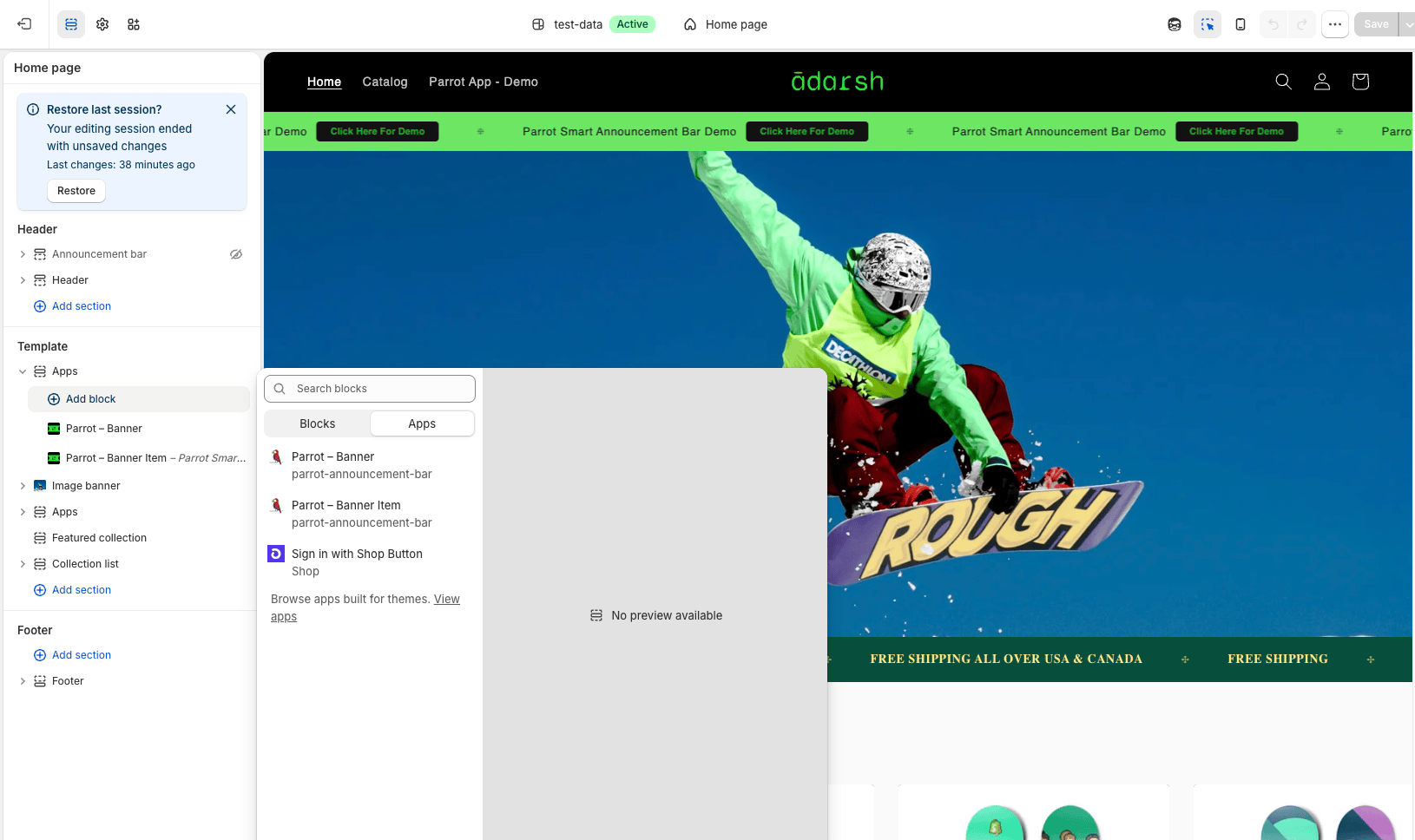
In Theme Editor, click Add app block and choose Parrot - Banner. This block controls layout, style preset, scroll speed, direction, and sticky behavior.
Click Add app block again and choose Parrot - Banner Item. Each item is independent: text, image, link, or a button with its own colors and radius.
Click Save. The banner is live on your storefront immediately. No publish queue, no app dashboard, no extra step.
What you can adjust
All settings are in the Theme Editor sidebar. No hidden menus, no app-side configuration.
Nothing to configure here.
The App Home shows a setup guide and links back to Theme Editor. That is intentional. Parrot does not store settings outside of your theme.